English Japanese French
home
download
buynow
faqs
contact
      How to copy AVCHD to DVD?

How to copy AVCHD to DVD?

Here is a guide that show you how to copy video from AVCHD disc to DVD, please follow these steps:

Step 1:

Click 'Profile' combobox to choose a output DVD format,
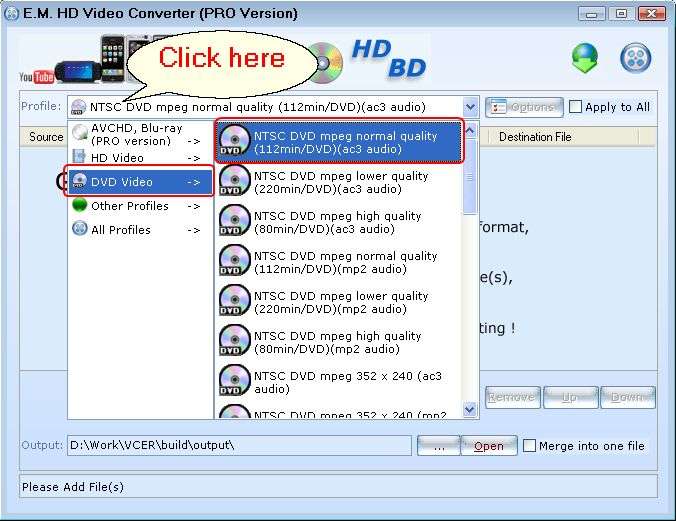
Copy AVCHD


Step 2:

Click the 'New Task' button, then click the 'Copy from AVCHD disc' menu.
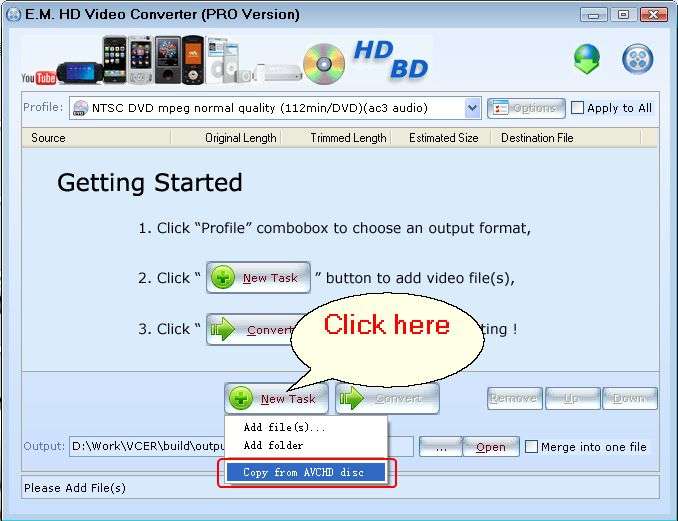
AVCHD to DVD


Step 3:

Click 'Convert' button to start converting.
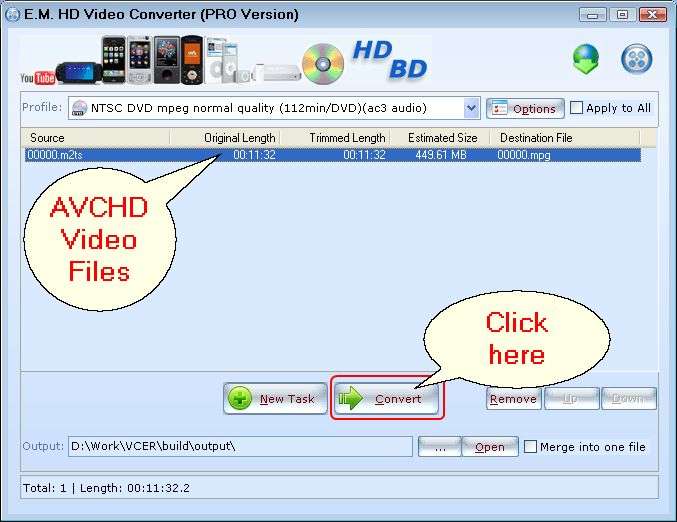
AVCHD converter


Step 4:

When the converting process completed, the midea burner will be pop-up, click the 'Next' button to start burn DVD.
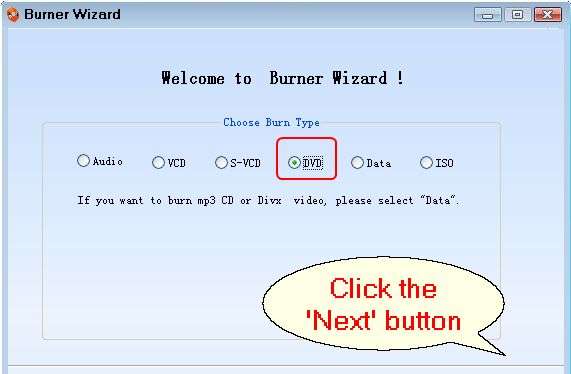
burn dvd


Related Tutorials:

1. How to burn video to Blu-Ray?
2. How to convert video to HD video?
3. How to use E.M. HD Video Converter?
4. How to burn video to AVCHD?
5. How to burn Blu-ray BDMV folder to AVCHD for PS3 and Blu-ray Player?


Featured Products

AVCHD to DVD

      Screenshots

Video to HD

video to AVCHD

AVCHD converter

      Related Products

E.M. Total Video Converter

E.M. Magic Swf2Avi

E.M. Total Video2Dvd

E.M. Youtube Video Download Tool

E.M. Free Dvd Copy

E.M. Free PowerPoint Video Converter

E.M. Total Video Player

E.M. Free MKV Video2Dvd

E.M. Free Photo Collage

E.M. HD Video Converter

      Awards

video to AVCHD

hd video converter

AVCHD converter

Video Converter | Total Video Converter for Mac | Photo DVD Slideshow | Swf2Avi | DVD Copy | HD Video Converter

Home | Sitemap | FAQ & Tutorial | About Us | Free Download | Top