Here is a guide that show you how to burn video to AVCHD (BD5/BD9) for PS3 and Blu-ray Player, please follow these steps:
Step 1:
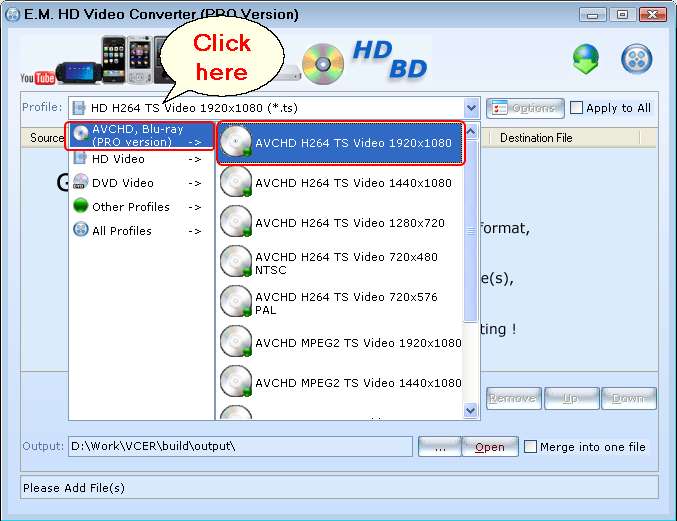
Click 'Profile' combobox to choose a AVCHD output format.
Step 2:
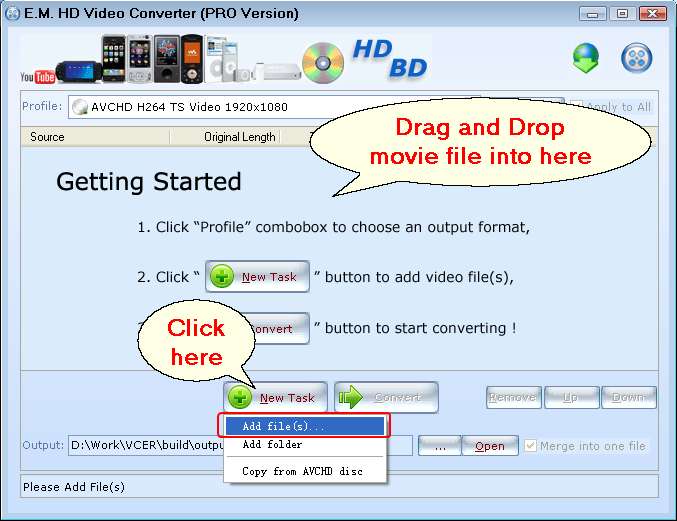
Click the 'New Task' button to add movie file, also you can drag and drop movie file into source list from Windows Explorer.
Step 3:
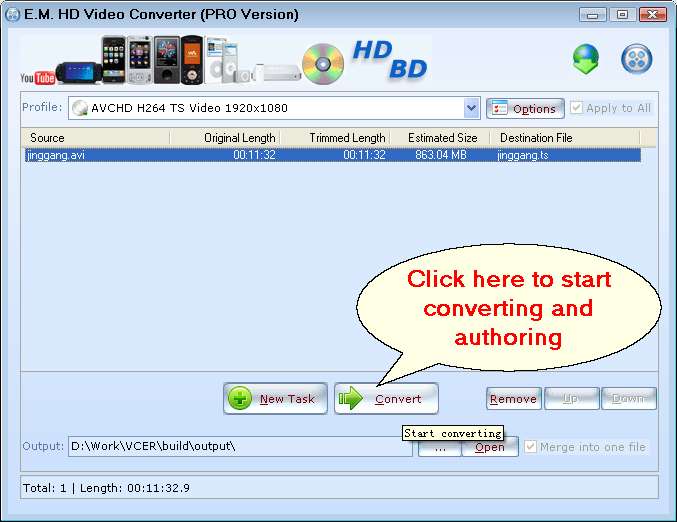
Click the 'Convert' button to start converting and authoring AVCHD.
Step 4:
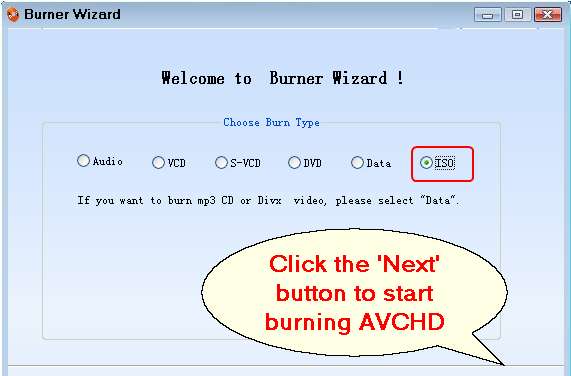
When converting and authoring completed, the media burner will be pop-up, click the 'Next' button to start burning AVCHD (DVD disc for PS3 and Blu-ray player)
Related Tutorials:
1. How to burn video to Blu-Ray?
2. How to convert video to HD video?
3. How to use E.M. HD Video Converter?
4. How to copy AVCHD to DVD?
5. How to burn Blu-ray BDMV folder to AVCHD for PS3 and Blu-ray Player?
Featured Products
Video to AVCHD