Here is a guide that show you how to upload PowerPoint to Youtube.
Step 1:
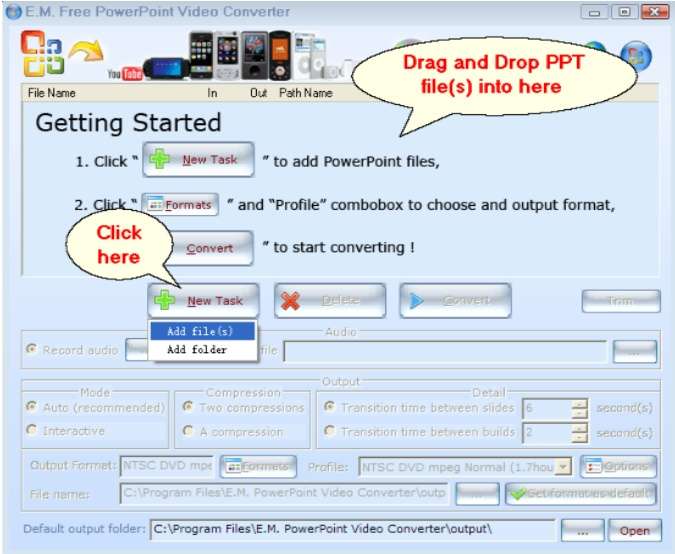
Click the 'New Task' button to add PowerPoint file(s), also you can drag and drop PowerPoint file(s) into source list from Windows Explorer.
Step 2:
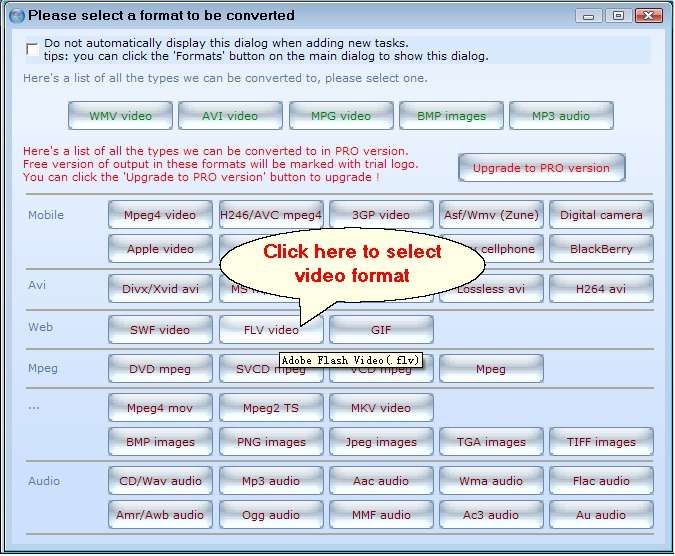
Click the 'FLV video' button in output video formats list to choose FLV format.
Step 3:
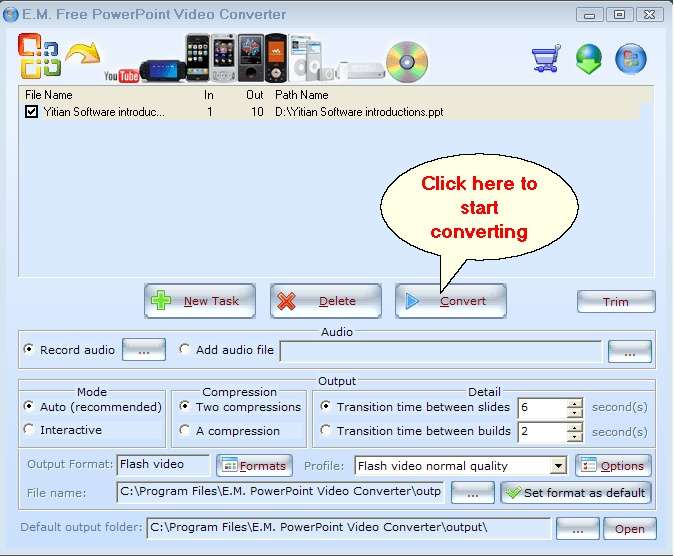
Click the 'Convert' button to start converting.
Step 4:
Upload the output FLV video to Youtube.
Related Tutorials:
1. How to convert and burn PowerPoint to Blu-ray disc?
2. How to convert and burn PowerPoint to DVD?
3. How to convert PowerPoint to Video with command line?
4. How to convert PowerPoint to HD video?
Featured Products
PowerPoint to Youtube Free PowerPoint Video Converter